CODETIPS ACADEMY / FINE-TUNING METHODS
Part 10 — Use a Pretrained Model and Publish Your Notebooks on GitHub
Move from teaching models to an optional LoRA training script, then connect each notebook to its website article.
Project: Workshop Assistant · Audience: basic Python developers · Run: CPU; optional external training only in Part 10.
From mechanisms to a pretrained language model
Parts 1–9 made gradients, freezing, masks, low-rank updates, and evaluation visible on CPU. A public pretrained language model adds a pretrained tokenizer, a model-specific chat template, many more weights, and a wider range of possible responses. The experimental discipline stays the same: define the task, prepare reviewed data, compare the base, and evaluate held-out behavior.
The ZIP includes scripts/train_hf_lora.py. It uses the public HuggingFaceTB/SmolLM2-135M-Instruct model as a small starting point, adds LoRA through PEFT, masks prompt tokens, and saves the adapter plus metadata. The model card describes its license and intended scope; read it before using or redistributing model artifacts.
Execution status: the ten CPU notebooks are executed as part of this release. The external-model download/training path and the optional bitsandbytes QLoRA branch are not executed in that verification. The notebook leaves external training off by default. Do not interpret the recipe as a measured quality result or a guaranteed GPU memory requirement.
Use a separate environment
The core lessons use a small pinned environment. The external recipe has a separate requirements file so installing the extra libraries does not silently change your working lesson environment. The recipe targets Transformers 4.47.0 and PEFT 0.14.0; these are explicit compatibility targets, not claims to be the latest releases. Future APIs may differ.
From the repository root, create a new environment, install requirements-hf.txt, and first run the command with --help. Then deliberately run python scripts/train_hf_lora.py --run --steps 5. Five steps are a smoke experiment showing data flow and saving. They are not enough evidence to deploy an assistant.
The script prints base and adapted generations on held-out prompts. Keep those separate from training prompts. Its tiny example dataset cannot support a general performance claim; replace it with reviewed, grouped splits before making a serious comparison.
from pathlib import Path
import subprocess, sys
script=ROOT/'scripts'/'train_hf_lora.py'
result=subprocess.run([sys.executable,str(script),'--help'],capture_output=True,text=True,check=True)
print(result.stdout)
RUN_EXTERNAL_TRAINING=False
if RUN_EXTERNAL_TRAINING:
    # Install requirements-hf.txt in a separate environment first.
    # This downloads a public model and runs an explicit small experiment.
    subprocess.run([sys.executable,str(script),'--run','--steps','5'],cwd=ROOT,check=True)
else:
    print('External-model training intentionally skipped; no model download.')
Executed output (CPU teaching experiment):
usage: train_hf_lora.py [-h] [--run] [--steps STEPS] [--model MODEL]
                        [--revision REVISION] [--qlora] [--output OUTPUT]

Optional pretrained-model smoke training. No network use unless --run is
explicit. Compatibility target: torch 2.2.2, transformers 4.47.0, peft 0.14.0.
External model training and QLoRA are NOT part of the executed CPU lesson
report.

options:
  -h, --help           show this help message and exit
  --run                Download the base and run training explicitly
  --steps STEPS
  --model MODEL
  --revision REVISION  Prefer a verified immutable model commit for publishing
  --qlora              Optional CUDA/bitsandbytes NF4 path, not CPU-verified
  --output OUTPUT

External-model training intentionally skipped; no model download.
Read the recipe before pressing run
The script loads the tokenizer and applies its chat template to a user message. It then formats a user-plus-assistant exchange, verifies that the prompt token prefix matches, and masks the prompt labels. This check matters: a template mismatch can train on the wrong region while still producing a decreasing loss.
LoRA is attached to supported linear layers. The script reports trainable parameters. The ordinary branch uses full-precision base weights for a straightforward small-model run. The optional --qlora branch requests NF4, double quantization, and a supported compute dtype, then prepares the frozen model before adding adapters. It requires a compatible bitsandbytes installation and supported accelerator; the script rejects that option when CUDA is unavailable.
Neither branch automatically pushes anything to a model hub or GitHub. The output contains adapter weights, tokenizer files, the resolved base revision when available, versions, and training settings. Keep your evaluation report alongside the artifact.
Publish the whole notebook project
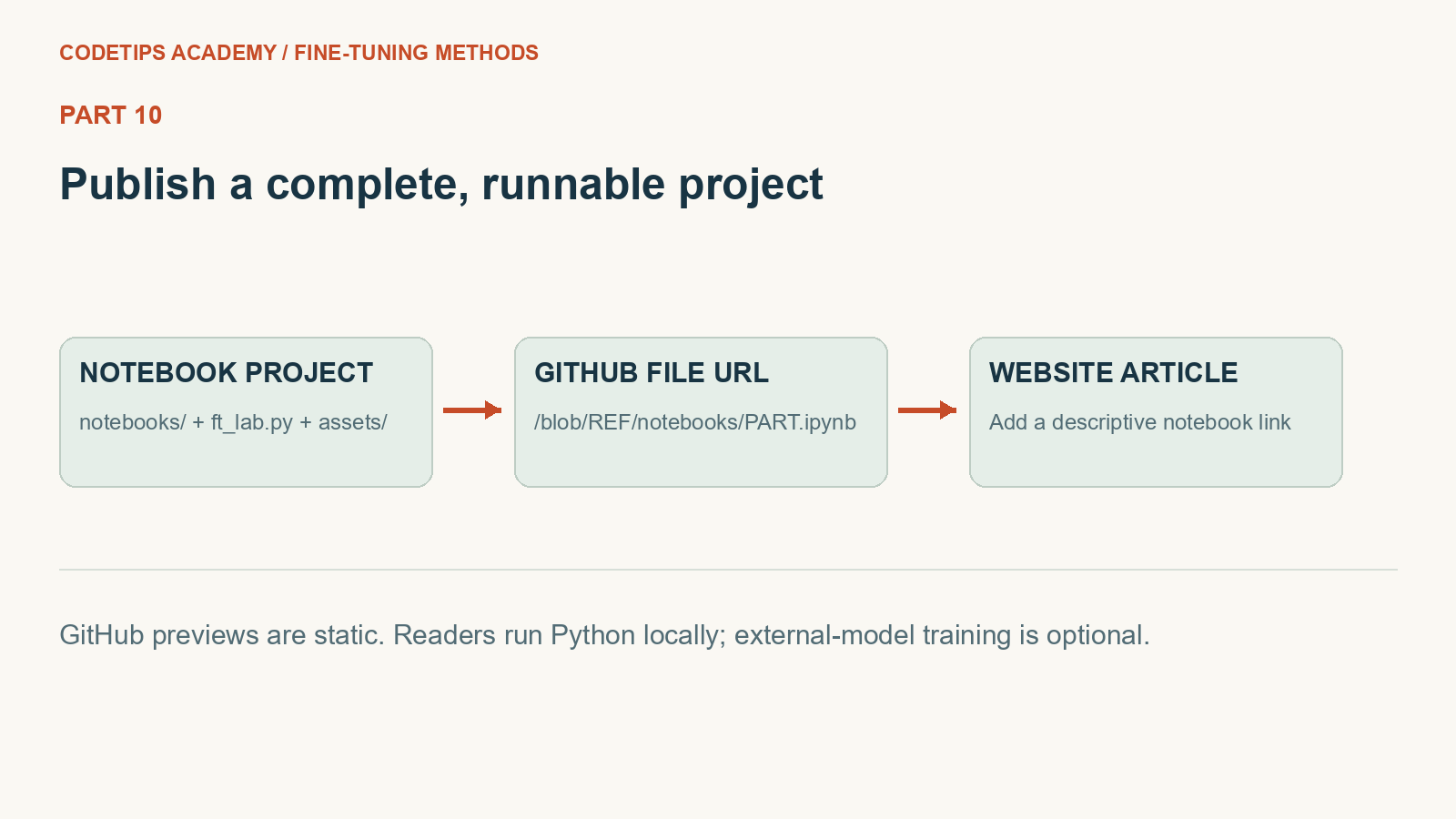
Create a new GitHub repository, for example fine-tuning-methods-lab, in the GitHub account you actually want to use. Unzip this download and upload the contents of the project folder, preserving notebooks/, ft_lab.py, assets/, articles/, scripts/, and the README. Uploading only an .ipynb will leave its shared code and images missing.
GitHub renders notebooks as static pages; it does not execute their Python cells for visitors. Readers can download the project and run it locally. Executed outputs are included so a visitor can inspect the teaching examples without running them.
For a notebook link, open the file in your GitHub repository and copy its normal browser URL. It should contain /blob/main/notebooks/, not /tree/, and it should end in .ipynb. For a fixed release, replace main with a tag such as v1.0.0 or a commit SHA. A fixed commit keeps an article linked to the exact version its explanation describes.
Add the link to the website article
Open the website's admin article editor and select the matching part. In its body, insert a descriptive link near the beginning, for example “Open the Part 5 LoRA notebook on GitHub.” Use your actual owner, repository, branch or tag, and notebook filename. Save, open the public article, and verify the link while signed out of GitHub if the repository is intended to be public.
GITHUB_LINKING_GUIDE.md in the ZIP gives the full mapping for all ten parts, example HTML, Git commands, and a link-generation helper. python tools/github_links.py --repo OWNER/REPOSITORY --ref main prints exact per-part URLs and HTML snippets. It does not edit the website or push a repository.
Do not paste an invented repository address into the public articles. Until you publish, the website provides the local download and notebook preview instead. After you share the real repository URL, the links can be updated to that verified location.
What you have learned
You can now distinguish the training objective from the parameter-update method; calculate a gradient and a LoRA update; recognize quantization error; mask assistant labels; explain a reference-based preference loss; and save a model with its evaluation context. Pick the smallest next experiment that answers a real question, rather than starting with the largest model you can find.
References: SmolLM2 model card, GitHub notebook rendering, and PEFT quantization integration.